
If you run a business in Hong Kong, getting found online matters as much as having a good product. Advertise.hk is a local directory site where people search for restaurants, shops, clinics, and other services by category and area. Getting your business listed there puts you in front of people who are already looking for what you offer. Here’s how the process works.
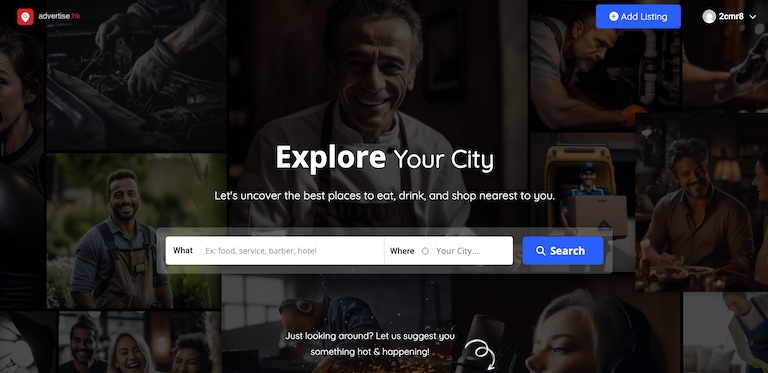
Advertise.hk is a business directory built around categories like restaurants, hotels, beauty and spa, real estate, and marketing services. Visitors search by what they want and where they want it, then browse listings with photos, contact details, and reviews. It works the same way Yelp or Google Business Profile does, just with a Hong Kong focus alongside listings from other cities.
On the homepage, click “Add Listing.” This takes you to a page where you choose a plan for your business. The site offers different tiers, and the plan you pick decides what shows up on your listing page.
Lower tiers usually cover the basics: business name, category, and location. Higher tiers, like the Diamond plan, add extras such as a map display, contact details, an image gallery, video, business hours, a price range, social media links, and an FAQ section. Think about what a customer would actually want to see before they call or visit, and pick a plan that covers it.
Once you’ve picked a plan, you’ll enter your business information: name, address, phone number, opening hours, and a short description. Add real photos of your space, your products, or your team. Listings with clear photos and complete details get more clicks than ones with a name and not much else.
After you submit, the listing typically goes through a review before it goes live. This keeps spam and fake listings off the site. Once approved, your business shows up in search results and category pages on Advertise.hk.
A listing isn’t a one-time task. Update your hours around holidays, swap out old photos, and respond to reviews if the plan includes that feature. An outdated listing can send customers to your door when you’re actually closed, which does more harm than good.
Before paying for a higher-tier plan, look at a few existing listings in your category to see what stands out. Check whether your competitors are already listed and how their pages look. This gives you a sense of what level of detail actually gets attention in your market.
Getting listed takes maybe twenty minutes of setup. What matters more is keeping the listing accurate and complete once it’s live, since that’s what turns a browser into a customer.
Every paid plan gets your business listed on the site and shared across our Facebook groups for the same length of time, so your reach grows on both fronts at once. All prices are in HKD.
Free — $0 per listing, runs for 3 days on the website.
Basic — $315 per listing, runs for 30 days on the website, with matching promotion in our Facebook groups.
Premium — $525 per listing, runs for 90 days on the website, with matching promotion in our Facebook groups.